
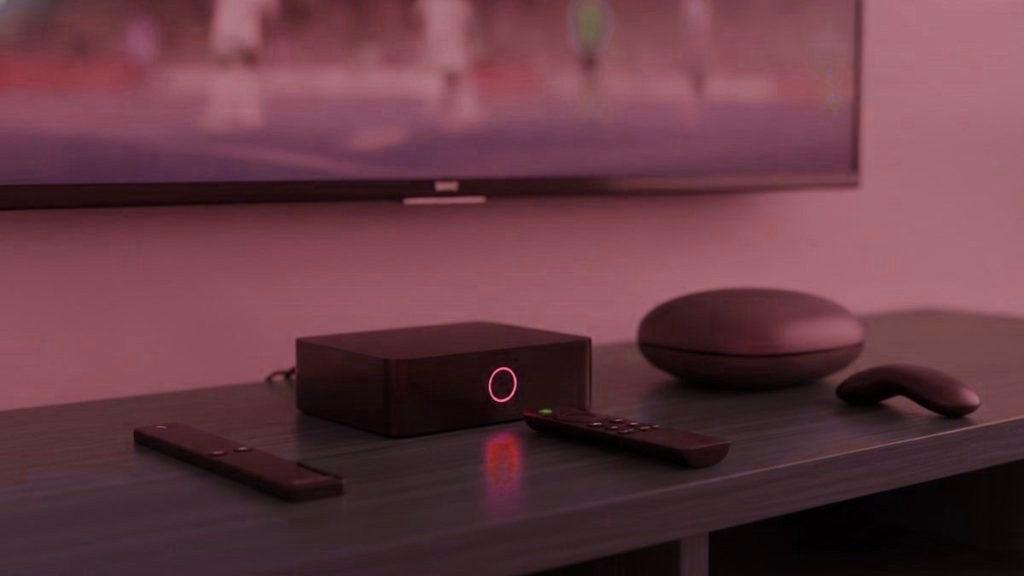
People who have just had a bad experience with an IPTV provider buy hardware, and most of them did not need to. The reasoning is understandable: something was wrong, replacing the box feels like doing something, and a new stick is cheaper than another year of disappointment. But the picture is limited by your connection first, the source second, your television third, and the box only after that. Here is how to find out which one it actually was, in about ten minutes, before spending anything.
The short version
Test on a laptop beside the router, then on ethernet, then check the decoder setting. If the box survives all three it was not the problem. Under $50 covers most genuine needs; above $200 buys speed IPTV does not use.
The ten-minute test
Step one: a laptop beside the router. Put your credentials into the browser player or VLC on a computer sitting next to the router, and play the channel that was misbehaving, at the hour it misbehaves. If it runs cleanly, your line and the servers are fine and the fault is somewhere between the router and the television. If it fails there too, the problem is upstream and no hardware on earth would have fixed it.
Step two: a cable, even temporarily. Trail an ethernet cable across the floor to the box for one evening. If the stuttering stops, you have found it, and a twenty-dollar adapter is the entire solution. This single step resolves more reported faults than every hardware upgrade in this article combined.
Step three: the decoder. In the player settings, switch between hardware and software decoding. Software decoding on hardware that wanted hardware produces exactly the symptoms people attribute to a weak device. On a Firestick in particular this is behind a startling share of poor impressions.
Only if the box survives all three is it genuinely the limiting factor. In our support traffic, it is the answer considerably less often than any of the other three.
What actually limits the picture, in order
Your connection. About 10 Mbps carries HD and 25 carries 4K, and steadiness counts for more than the headline figure, because streams break on gaps rather than averages. A television at the far end of the house on a congested band will struggle on any hardware ever made.
The source. A channel not produced in 4K will not become 4K and no box upscales its way out of that. Most channels, most of the time, are broadcast in HD. If a previous provider sold you 4K that never looked like it, that was relabelling rather than a hardware shortfall — and buying a better box would not have revealed anything that was not there.
The television. A 1080p panel displays 1080p. A 4K panel without HDR displays 4K without HDR.
The box. Last, and only once the three above are not the constraint.
Under $50: the bracket almost everybody should buy in
Thirty to fifty dollars gets a Fire TV Stick 4K Max, which decodes 4K without complaint and accepts any IPTV application you care to sideload. The plain Fire TV Stick 4K does much the same for a little less money. If sideloading itself puts you off, Chromecast with Google TV 4K costs about the same and pulls everything from the Play Store instead.
One to avoid at this end: the Fire TV Stick Lite. Same software, identical setup, but it outputs 1080p — so if your last provider’s 4K never looked right, the stick may have been the reason all along. Worth checking before blaming anybody.
Also worth swerving: the no-name Android box going for a price that seems too good. Below two gigabytes of memory — or with a specification sheet that turns out to be creative writing — you get stuttering, and the subscription gets the blame for it. A meaningful share of provider changes are really box problems, with the fault travelling intact to the new service along with the customer.
$120 to $200: what the extra actually gets you
Purpose-built hardware — the Formuler Z11 Pro Max, or Infomir’s MAG range — sits between a hundred and twenty and a hundred and eighty dollars. Be clear about what that premium is not buying: on an identical stream the image is indistinguishable from a thirty-dollar stick’s. What it buys is everything around the image. A remote designed for this rather than adapted to it, a guide that responds immediately, no sideloading ever, and a device that starts up showing television instead of a grid of applications.
One thing switchers should know before buying a MAG specifically. It binds to a portal by MAC address, which means only a provider willing to activate your particular box can serve it. If you bought one on a previous provider’s recommendation, that was a lock as much as a recommendation, and it is the main reason to prefer Formuler today — Formuler accepts a portal, an Xtream login, or Android players including TiViMate, so it never ties you to anyone.
The Nvidia Shield sits here in price and above it in capability. It is genuinely the fastest of these devices and excellent at a great deal that has nothing to do with IPTV. For IPTV specifically the speed goes largely unused and it costs more than a year of subscription. Buy it because you want a Shield, not because you expect it to improve a stream.
Beyond $200: the point of diminishing returns
Spend more than about two hundred and the additional capability simply has nowhere to go, because nothing in the chain is requesting it. Modern silicon finds a 4K stream undemanding. What the extra horsepower does deliver is snappier menus and better performance at things that are not IPTV at all.
Rank the alternatives by how much difference they make and the list is dull: a cable or adapter to the television you watch most; then a router, if yours arrived free from your internet company some years ago; then a longer subscription term, once somebody has earned one. Unglamorous, and demonstrably where the improvement is.
Four households, four answers
Everything happens on one set and sport is the point. A Formuler Z11 is the natural buy. A Fire TV Stick 4K Max with an ethernet adapter and a TiViMate Premium licence costs a fraction of it and will get you perhaps eighty per cent of the way, which is a reasonable trade for most people.
Televisions in several rooms. Put identical sticks on all of them. Being able to fix any room the same way is worth considerably more than one superior device and three you have to think about — and you are the one who will be configuring them.
A recent Samsung or LG. Quite possibly buy nothing. Both stores carry IPTV Smarters and Smart IPTV, and the set alone is enough. Two reasons to add a box anyway: you want TiViMate, or you are on Smart IPTV and need somewhere to run a second provider while comparing.
Roku in the house. A stick on a spare input. Sideloading is blocked and the store listings appear and vanish on Roku’s schedule rather than yours, which makes it simultaneously the most awkward platform to switch on and the one where the fix is simply to route around it.
Before you buy anything at all
Run a test line on what you already own, alongside your current subscription. A striking proportion of the time the existing setup turns out to be fine and the money set aside for a box goes on an ethernet cable instead. Finding that out costs nothing and takes an evening, which is a better sequence than buying hardware to fix a problem nobody has diagnosed.
The purchase that actually pays back
If you are going to spend something after a bad experience, spend it here first, because the return is far higher than on any box.
An ethernet adapter for a Fire TV Stick costs about fifteen dollars. A long flat cable costs about ten. Between them they remove the single most common cause of evening stuttering in any household where the television is not next to the router, and they do it permanently rather than probabilistically. A mesh node or a better router is the next step up and costs more, but a cable to the one television that matters solves the problem it solves completely.
The reason this is worth saying on a hardware page is that the money tends to go the other way. Somebody has a bad year with a provider, moves, still sees occasional stuttering, and buys a two-hundred-dollar box — which does nothing, because the stream was never short of processing power. It was short of a stable path from the router. The box felt like the more serious purchase and the cable was the one that would have worked.
Frequently asked questions
My streams kept freezing. Was it my box?
Probably not. Test in this order: the same channel on a laptop beside the router, then the box on an ethernet cable, then the decoder setting in the player. In our experience the box is the answer considerably less often than any of those three, and a freeze that only happened between seven and ten was capacity at the provider.
Will a better box improve the picture?
Almost never. The picture is limited by your connection, then by what the broadcaster produced, then by your television. A box becomes the limit only once those three are not, which is uncommon. Twenty dollars on an ethernet cable does more for a stuttering stream than two hundred on hardware.
Do I need new hardware to change provider?
No. Credentials are a standard Xtream login, so whatever ran the last service runs the next one. The exception is a MAG box, which binds to a portal by MAC address and needs your new provider to activate it — which is worth knowing before you buy one, not after.
Is the Fire TV Stick Lite good enough?
It runs the same software and sets up identically, but it caps at 1080p, so the 4K feeds you were paying for never reached the screen. If your previous provider's 4K never looked right, check this before concluding they were lying. On a main television the 4K Max is worth the difference.
Formuler or MAG?
Formuler, for most people and especially for anyone who has just been let down. It accepts a portal, an Xtream login or Android players including TiViMate, so it keeps its options open. A MAG is portal-only and can only be moved by a provider willing to activate your MAC, which is a tie you may not want again.
Should I buy an Nvidia Shield?
Only if you want it for its own sake. It is the quickest thing on this page and very good at a great many tasks, but IPTV asks almost nothing of that capability, and it costs more than twelve months of subscription. Steadier streams come from capacity upstream and a cable at your end, neither of which a faster box supplies.
I switched provider and it still stutters. What now?
Work through the three tests in order: laptop beside the router, box on ethernet, decoder setting. One of those three is the answer in the large majority of cases. If all three are clean and it still fails only at peak, then it is the new provider's capacity too, and you have learned that within the refund window rather than after a year.
Moving from somewhere else?
Tell us what you are on now and what went wrong with it, and we will say plainly whether this fixes it. A 24-hour test line runs alongside your current subscription, so nothing has to be cancelled first.
Related articles
How to Switch IPTV Provider Without Losing a Night of TV
A seven-step changeover for people who have switched before: note the old line, add the new one beside it, test at the…
September 19, 2026When an IPTV Provider Shuts Down: The Warning Signs and the Morning After
The signs an IPTV provider is about to disappear, in the order they usually show up, and a calm plan for the…
September 19, 2026Moving Your IPTV Favorites to a New Provider: What Survives the Move
Favorites do not follow you to a new IPTV provider. What stays with TiViMate, IPTV Smarters Pro and Smart IPTV, what has…